Maker Spaces: Add a Green Screen for $100 - No Experience Necessary!
Adding a Maker Space to a school media center can be an easy
addition with a big payoff. Students enjoy having a specified area where they
can use their minds and hands to create something tangible, and this type of
learning has many other benefits. According to Lauren Britton on the Library Journal (2012), “Maker spaces
promote learning through play; have the potential to demystify science, math,
technology, and engineering; and encourage women and under-represented
minorities to seek careers in those fields.” With its many benefits, Maker Spaces
sound like they must take a lot of time, effort, and money, but this is not
necessarily the case.

Since Maker Spaces can essentially be whatever librarians
and students want them to be (as long as something is being created), they can
cost a little or a lot and be small or large scale. Librarians do not have to
have an abundance of funds to create a space for learning and creating, but
they do need to start with an idea. Typically, it is good to begin by looking
the needs of the students and by considering what they would like to create,
produce, or publish. For example, if students have a strong social media presence,
journalism classes available with student interest, student government presence,
etc., then adding a green screen might be an affordable and beneficial addition
to the school library.
In her blog, Tales from a Loud Librarian (2018, Jan. 19) ,
Elizabeth Kahn describes her experience with adding a green screen to her
library Maker Spaces. With only $100, Kahn was able to purchase the materials
from Amazon, and adding the screen did not require much background work or
additional prep outside of dedicating a space for it in the library. She
describes how she set it up and did not say anything to the students, and the students
immediately began posing in front of it and snapping pics using their phones
without any help from her. Without her prompting they downloaded an app called
Stickbot on their phones to use, but there are many other apps available as well that
include making videos in addition to taking pictures.
Kahn was inspired to create a Green Screen Club in order to play around with
the screen more and explore all the things students can do with it.

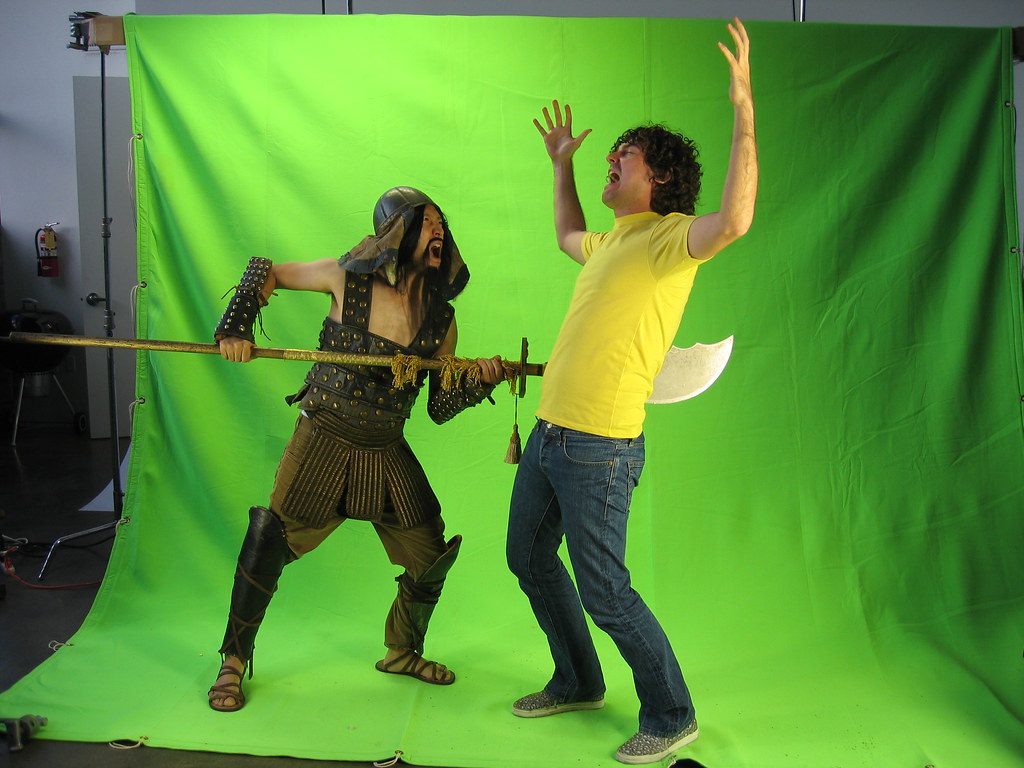
Green screens can make a fun, inexpensive, an educational addition
to a library Maker Space. With it, students can use school issued iPads or
Chromebooks, their own devices, or devices checked out from the school library
in order to create media in ways that they are unable to do on their own. It
will allow teachers to incorporate the screens into English classes for
literature projects or speeches, math classes to create tangible stop motion
examples of geometry or algebra, or history classes in order to recreate scenes
from history; there are endless possibilities for their use in education. The
use of it may inspire some to explore journalism or other media-based fields.
Adding a green screen is an affordable and beneficial way to create a Maker Space
without devoting a large amount of time or energy, yet it provides so many
opportunities for students and teachers alike.

References
Britton, L. (2012, Oct 1). The makings of maker spaces, part
1: Space for creation, not just consumption. Library Journal. Retrieved from http://www.thedigitalshift.com/2012/10/public-services/the-makings-of-maker-spaces-part-1-space-for-creation-not-just-consumption/
Kahn, Elizabeth (2018, Jan. 19). If you build a green screen, they will come.
Tales from a Loud Librarian. Retrieved
from http://www.talesfromaloudlibrarian.com/2018/01/if-you-build-green-screen-they-will-come.html
Kalman, Paul (2018, July 26). Top 5 best green screen apps
for 2019. Make a Video Hub. Retrieved
from https://makeavideohub.com/green-screen/best-green-screen-apps.html
Zing Studio 1.0. (n.d.). Retrieved from https://apps.apple.com/us/app/zing-stikbot-studio/id995870996#?platform=ipad
Hi Darleen,
ReplyDeleteWhile my knowledge of green screens is minimal, your post provided many interesting ways to incorporate green screens in various curriculums. As the majority of students are tech savvy and enjoy taking pictures and videos, I feel students would definitely be very engaged in projects using the green screen. Therefore, this is a great idea to incorporate in a makerspace.
Best,
Shanon Ashley
Hi Darleen,
ReplyDeleteWe recently upgraded our Morning Show software to a system that enables us to use a greenscreen. We haven't introduced it to students yet, partially because my assistant and I are having too much fun playing with it! I am definitely going to use the resources you suggested when we reveal it to the students.
Happy green screening!
Catherine
Darleen,
ReplyDeleteWhat a great post! I love your early points about the value of makerspaces and how they can be incorporated with relatively low cost. I just read Catherine's post pointing out how 3-D printers may not always be the best option, and I think your post emphasizes that. Focusing on student interest and needs can lead to more valuable makerspaces that require less money. I think most students would love the idea of using a green screen and get engaged with assignments that allow them to use one!
Hi Darleen,
ReplyDeleteI loved this post about green screens, and immediately imagined a school morning show using one. My teens, well, really all my kids, love taking pics with all kinds of backgrounds, so I can imagine how much fun they'd have with something like this. With this low cost, and the endless creativity options, there's no doubt this is a win-win.
Thank for sharing,
Michelle Grabiec
Darleen,
ReplyDeleteI love what kids are able to do with green screens. We have one at my school, but I have never used it with students. I have, however, used the green screen app on the ipad to create a news cast prpgram with puppets during our Civil Rights unit. My students loved it! I'm attempting a project with the real thing over the next couple of weeks with my Beta Club students. They are creating a video using the green screen for a technology project to show at the Beta Club Convention in Myrtle Beach in January. Keeping my fingers crossed I can figure it out!
Darleen,
ReplyDeleteOur Media Arts class is experimenting with our new green screen kit and is getting ready to start producing the school news. The art teacher and I will collaborate to get the news running. Thank you for the content area ideas for using a green screen. I think it's great to give students the opportunity to create and produce using a variety of media tools.